Document scanning helps small businesses convert paper records into digital files that are easier to organize, access, protect, and share. From invoices and receipts to customer forms, contracts, and employee records, paperwork can quickly become difficult for a small team to manage.
Paper-based processes may work in the early stages of a business, but they become harder to maintain as document volumes grow. Important files may end up spread across desks, filing cabinets, email inboxes, and individual computers, making them difficult to find when needed.
Scanning these records reduces dependence on paper and creates a more organized way to manage business information. This guide explains how document scanning works, six practical benefits for small businesses, and what to consider when choosing the right scanning and storage solution.
What Is Document Scanning?
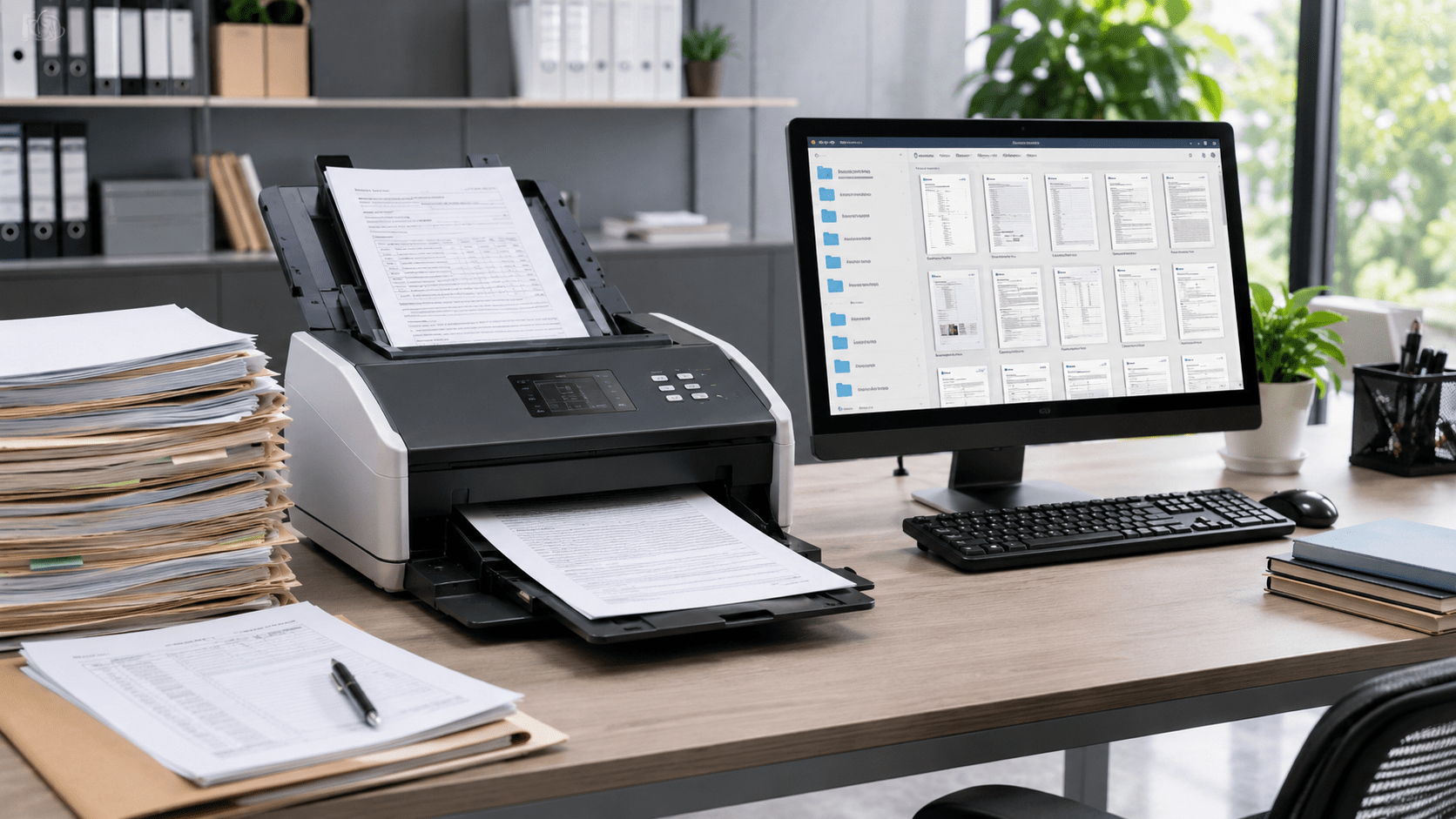
Document scanning is the process of converting physical documents into digital files. A scanner captures the information on a paper document and saves it in a digital format, such as PDF, JPEG, or TIFF.
Small businesses can scan documents such as:
- Invoices and receipts
- Customer records
- Contracts and agreements
- Employee documents
- Vendor files
- Tax and financial records
- Applications and business forms
- Insurance documents
Basic scanning creates a digital copy of a document. More advanced document scanning solutions may also use OCR to recognize text, make documents searchable, extract information, and organize files automatically.
A paper document becomes digital when it is scanned. It becomes useful when it is properly named, organized, searchable, and accessible.
How Does Document Scanning Work?
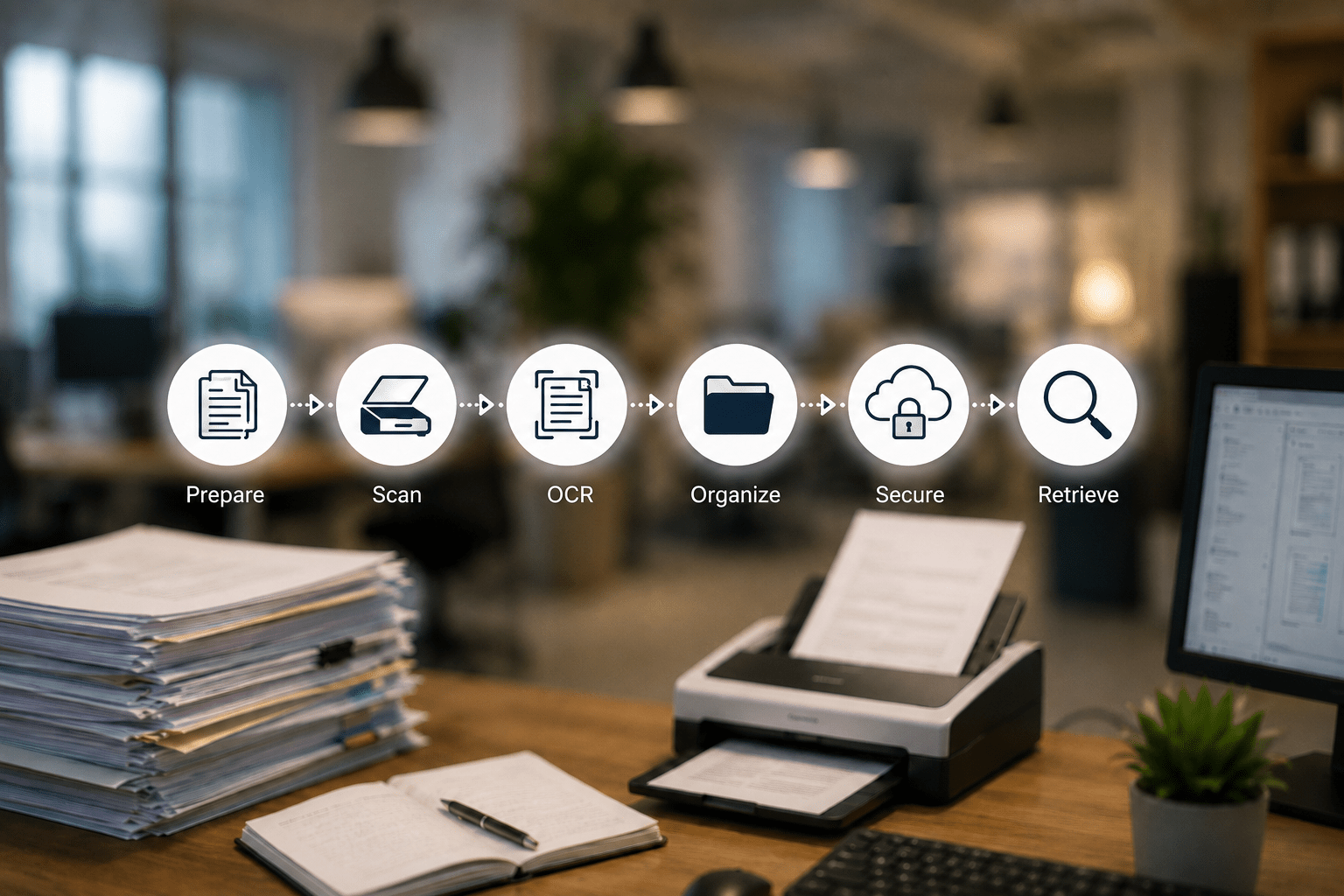
The document scanning process generally follows a few simple steps.
How Document Scanning Benefits Small Businesses
Small businesses often manage growing paperwork with limited staff and time. Document scanning turns these records into digital files that are easier to organize, find, and share.
With Docupile, businesses can centrally store scanned documents, search information quickly, and control file access. Here are six ways document scanning can improve small-business productivity and document management.
1. Helps Employees Find Documents Faster
Searching through filing cabinets, desks, and storage boxes can interrupt daily work. Scanned documents can be organized by customer, vendor, date, document type, or keyword, making important information easier to locate.
Docupile helps businesses store scanned records in one searchable system, so employees can retrieve an invoice, contract, or customer document without checking multiple folders and locations.
Quick Reality Check: Scanning alone does not create organization. Clear filenames, consistent folders, and searchable storage are still essential.
2. Reduces Paperwork and Office Clutter
Filing cabinets, document boxes, and paper piles can occupy valuable space in a small office. Scanning frequently used records allows businesses to reduce physical storage and keep work areas more organized.
Digital records are also easier to maintain as document volumes grow. Before destroying original documents, businesses should confirm whether they must be retained for legal, tax, financial, or regulatory purposes.
3. Improves Employee Productivity
Paper-based document handling often involves repeated printing, copying, filing, and searching. Scanning reduces many of these manual steps by making records available digitally.
Employees can spend less time managing paperwork and more time supporting customers, completing approvals, and handling core business activities. Docupile can further simplify this process by helping organize scanned files and making them easier to access when needed.
4. Makes Sharing and Remote Access Easier
Scanned documents can be shared with authorized employees, accountants, managers, or vendors without printing or mailing paper copies.
This supports remote work, faster reviews, and easier approvals. With Docupile, businesses can manage document access from one centralized platform instead of sending multiple copies through email or storing files across personal devices.
5. Protects Important Business Records
Paper files can be misplaced, accidentally discarded, or physically damaged. Creating digital copies reduces dependence on a single original and makes it easier to maintain backups.
When scanned records are stored in Docupile, businesses can apply access permissions and limit sensitive customer, employee, or financial documents to authorized users.
Key Takeaway: Scanning creates the digital copy. Secure storage, backups, and access controls help protect it.
6. Creates a More Organized Document Management Process
Scanning is the first step toward digital document management. As more records are digitized, businesses need a consistent way to name, store, search, protect, and track them.
A document management system for small business can centralize scanned records and provide features such as:
- Advanced search
- Access controls
- Version tracking
- Retention management
- Audit trails
- Approval workflows
- Duplicate prevention
Document scanning reduces paper. Docupile helps turn scanned files into organized, searchable, and controlled business information.
Ready to Move Beyond Paper Files?
What to Look for in Document Scanning Solutions
Not every scanning process provides the same result. Before selecting equipment, software, or a service provider, consider whether the available document scanning solutions support:
- Clear and readable scans
- Searchable document text
- Consistent file naming
- OCR capabilities
- Secure storage
- Access controls
- Backup and recovery
- Easy document retrieval
- Compatibility with existing business systems
Small businesses should also plan where the files will be stored and who will be responsible for reviewing and organizing them.
When a business has a large backlog of archived records, professional document scanning services can help convert those files in bulk. However, the scanned documents still need a clear system for naming, storing, protecting, and retrieving them afterward.
Conclusion
Document scanning gives small businesses a practical way to reduce paperwork, improve document access, protect important records, and make everyday information sharing easier. It can also reduce repetitive administrative work and prepare the company for future growth.
However, scanning is most valuable when digital files are stored and managed consistently. A reliable document management system for small business can help turn scanned documents into organized, searchable, and controlled business information.
Scanning is the first step. Better document control comes next.